
Add an event to the USA events calendar: a simple guide for kidsmovies readers
Learn how to add an event to the USA events calendar with clear steps, practical tips, and common pitfalls for entertainment fans and families.

If you want your favorite movie night, concert, or festival to reach more fans, you can add it to the USA events calendar. This guide explains what the calendar is, why it matters for entertainment readers, and how to prepare information so your event gets seen. You’ll learn practical steps you can take today to share an upcoming show or screening with families and fans.
The calendar helps fans discover events near them and plan fun weekends. It’s a tool for organizers to reach audiences who love movies, music, and pop culture. By following the steps here, you’ll present your event clearly and avoid common posting mistakes.
A clear listing saves time for readers and reduces back-and-forth questions. It also creates consistency across the site, so fans can compare events at a glance. With the right details, your event becomes easier to find and easier to attend.
- This guide explains how to add an event to the USA events calendar for entertainment readers.
- You’ll learn what information to prepare, how to format listings, and common mistakes to avoid.
- The steps cover basics, submission, formatting, and tips to get more eyes on a listing.
Basics you need to know
What the calendar is for
The USA events calendar is a place where readers look for upcoming happenings in film, music, and pop culture. It helps fans plan visits to theaters, museums, and venues. Understanding its purpose makes your submission more effective. add an event to the USA events calendar is the exact phrase needed in the first context.
Know who the calendar serves: families, teens, and casual fans, not industry insiders only. Provide clear details so readers can decide if an event fits their plans. A simple description helps people quickly grasp what makes your event special.
Be concise but complete: list the event type, date, location, and a quick teaser of what attendees can expect. Clear language reduces questions and speeds approval. Include a date that’s easily verified in public listings.
How to submit your event

Prepare event details
Gather the essentials: event name, venue, address, start time, and end time. Add a short, engaging description that fits a TV- or movie-loving audience. This helps readers recognize the event quickly and decide to attend. CTE News news is the exact phrase needed in the second context.
Prepare accessibility notes if available, such as wheelchair access or family-friendly hours. Include contact info for updates or questions, so readers don’t have to hunt for details. A complete entry reduces back-and-forth emails.
Double-check dates against local calendars to avoid listing errors. A late-night post can confuse readers if venues shift times or cancel. Accuracy saves time for both editors and readers.
- Event name
- Location
- Date and time
- Brief description
- Contact info
Choosing the right format
What to include in the listing
Write a one-sentence hook that mentions what makes the event fun for a kidsmovies audience. Then add practical details like price, age suggestions, and whether tickets are required. A clean structure helps readers skim. USA business listings is the exact phrase needed in the third context.
Use a consistent format across listings so readers compare events easily. Include a quick “why go” line for families deciding on entertainment options.
End with a simple call to action, such as where to buy tickets or how to RSVP. Clear steps help readers move from interest to attendance.
- Hook sentence
- Key details
- Ticket info
- RSVP or buy link
| Option | Pros | Cons |
|---|---|---|
| Standard listing | Easy for readers to scan | Limited space for details |
| Detailed listing | More context for families | Takes longer to write and review |
| Sponsor-supported listing | Potential reach | Brand voice may overpower event |
Don’t overstuff listings with extraneous details; focus on what families care about: what, where, when, and why.
Common pitfalls to avoid

Mistakes to skip
Avoid vague dates like ‘this weekend’ without a year or time. Readers need concrete information they can plan around. local job listings in the USA is the exact phrase needed in the fourth context.
Don’t overstuff listings with extraneous details; focus on what families care about: what, where, when, and why.
Be careful with branding; use neutral language that reflects the event rather than a sponsor’s voice. Mismatched tone can turn readers away.
Proofread for typos and broken links; a missing link or wrong venue wastes time and shakes trust.
- Vague timing
- Too many details
- Overbranding
- typos or dead links
Tips for finding events
Ways to search for nearby events
Start with a simple weekly calendar search for local venues that host kid-friendly shows, concerts, and screenings. Look for community centers, libraries, and museums that post events in advance. Compare dates across several sources to avoid duplicates and missed opportunities. USA obituaries
Expand your search with local fan groups and school announcements; these can uncover pop-up performances and special screenings that aren’t widely advertised. Check social pages of theaters known for children’s programs and sign up for newsletters if offered.
Keep a simple notebook or notes app to track event titles, dates, ages recommended, and whether tickets are required. Using a single list helps you quickly see what fits your family’s plans and budget.
- Check monthly calendars
- Follow local venues
- Subscribe to newsletters
- Ask friends for tips
User submissions workflow
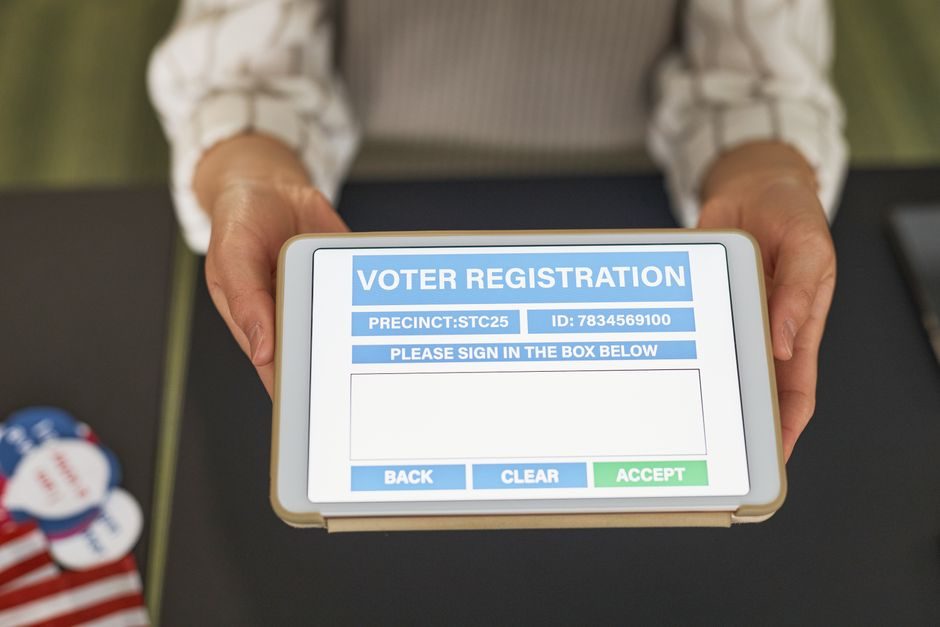
What creators should submit
Event submitters should include the event title, a short kid-friendly blurb, date and time, location, and ticket info if any. Provide a clear age range and a brief note on why it’s entertaining for families. This helps editors decide quickly if it’s a good fit.
- Event basics: title, date, time, venue
- Audience: age guidance and suitability
- Media: image or poster link
- Accessibility: captioning or accessibility notes
Include an engaging image or poster link, plus any accessibility notes like available captions or sign language interpretation. A well-prepared submission speeds up the review and reduces back-and-forth.
When in doubt, draft a plain-English summary that highlights the most exciting moments for kids. Editors prefer concrete details over generic hype, so focus on what families will actually do at the event.
- Title and date
- Clear age range
- Poster image link
- Accessibility notes
- Concise summary
Managing updates
Keeping the schedule current
Events change, sometimes last minute. A quick check-in routine helps keep the calendar accurate and trustworthy for families planning ahead. Prioritize updates that affect start times, locations, or ticket availability.
- Verify change
- Record the date of update
- Notify readers of the update
- Close the loop with a confirmation
Maintain a clear revision log so readers can see what changed and why. This builds trust and reduces confusion when families compare listings.
If you receive a correction, respond promptly and publish a brief note explaining the change. Transparency helps readers adjust plans without frustration.
- Regularly verify listings
- Maintain a revision log
- Post brief correction notes
Accessibility and family friendliness

Designing for diverse families
Choose events that offer clear captions, sign language, or audio descriptions when possible. Mention these features in the event description so families can make informed choices. Accessibility helps more readers enjoy the content fully.
Consider the physical setup: seating, stroller access, quiet spaces, and kid-friendly zones. Note any potential sensory triggers and offer practical tips to navigate busy venues.
Highlight events that are welcoming to different family structures and cultural backgrounds. A short note on inclusivity can help families feel represented and comfortable choosing activities.
- Captions and accessibility
- Venue comfort and safety
- Inclusive messaging
Frequently asked questions
Who can submit events to the USA events calendar?Anyone with a local event that is suitable for families can submit it. Provide the essential details: title, date, time, venue, and a short kid-friendly description. Add accessibility notes if available. Editors review submissions to ensure they fit the site’s audience and style.
How long does a submission review take?Most submissions are reviewed within a few days, depending on volume. If additional information is needed, editors will reach out with specific questions. You’ll receive a quick status update once the review is underway.
What if my event changes after it’s posted?If a detail changes, submit a correction with the updated information. The team will publish a brief note explaining the change and the reason. This keeps readers informed and preserves trust in the calendar.
Can I request a specific nearby city to be featured?Yes. Local readers often want listings near them. Mention your city or neighborhood in the submission and specify how far readers should travel. Editors aim to balance coverage with reader relevance.
Looking ahead for families and fans
The updated guide helps families discover kid-friendly events more efficiently and with confidence. Remember to check the calendar regularly for new listings and changes, and to prepare a simple plan for the week ahead.
Next, try building a small, personal calendar of events you’ll actually attend, so your family can turn a quiet weekend into a series of memorable moments.
Add Best Movies for Kids & Families to Watch together. as a preferred source on Google


