
From problem to fun: a kid-friendly guide to muis…
A practical, entertaining guide explaining how to handle a common problem with muistosanat Espoossa, tailored for young readers and movie-loving families.

When kids struggle with a tricky memory or note-taking issue, turning to a simple, practical guide can make a big difference. This article translates that challenge into clear steps that fit a movie-loving kid’s day. You’ll learn the basics, real-life steps, and smart options that keep learning light and fun.
Next we move from the core idea to concrete ways you can apply it at home or during a trip to the city. The goal is to make memory tasks feel like a game rather than a chore, so you stay curious and confident.
Finally, we’ll share quick checks you can use to keep progress on track without slowing down your favorite shows or games. The plan stays simple, concrete, and useful for readers who want to enjoy both entertainment and learning.
- Clear, kid-friendly steps turn memory tasks into quick, game-like drills.
- Choose a simple note style and stick with it to build fluency.
- Digital or paper notes both work when you keep them focused and consistent.
- Use short, concrete prompts to reinforce what you learned from movies or shows.
Basics: what you need to know
What muisti helps with
Starting with the basics helps you see why memory notes matter for school, trips, and watching films with friends. You’ll learn what a memory cue is and how it keeps scenes straight when you’re discussing a movie or planning a day out. This section uses plain steps and short examples. muistosanat Espoossa
A clear plan reduces confusion and makes notes feel manageable. You’ll discover simple habits you can use anywhere, from a cinema lobby to your living room.
A practical tip is to pick one note style and stick with it for a week to build easy, repeatable practice.
- Choose one note format (bulleted lists or short phrases)
- Keep notes near your movie watcher or backpack
- Review notes after watching or visiting a place
- Ask a friend to quiz you on key details
- Make a tiny memory chart each day
How to use this at home

Turn tasks into quick drills
Break a bigger memory task into short drills that fit a TV commercial break or a game round. This helps you stay motivated and avoid overload. You’ll practice capturing details in quick, practical steps and see real progress over a week. Espoo Uutiset tuoreimmat uutiset
Use a simple checklist to track what you learned from a movie or a show episode. Each item on the list becomes a tiny win that feeds confidence.
Keep drills short and focused on one idea: where a scene happened, who spoke, or what happened next.
- One idea per drill
- Three-station practice (listen, note, recall)
- Use a timer to keep drills concise
- End with a quick recap
- Store drills in a small notebook
How to choose between options
Different note styles
There are several ways to capture memories, from short phrases to full sentences. Each style has trade-offs in speed and detail. Try one style for a week and compare how easy it is to use during a movie night or a family trip. ilmoita tapahtuma Espoossa
A good choice balances speed with usefulness; you want enough detail to remember the scene but not so much you lose focus. The right method feels natural and doesn’t slow you down during fun activities.
Keep a small sample of notes in your bag or on a tablet so you can switch if one method isn’t working.
| Method | Pros | Cons |
|---|---|---|
| Digital notes | Fast, searchable | Requires setup and screen time |
| Paper notebook | Tactile, easy without devices | Visible clutter, transport needed |
| Single-view app | One place for notes | Limited in-depth detail |
Digital tools vs paper
Digital notes can be fast and searchable, but paper notes are tactile and reliable without screens. Consider what works best for your routine and your family’s preferences.
If you choose a device, keep it simple: a single app, a single folder, and a clear naming system for each movie or episode.
Paper notes require a dedicated notebook and a simple color code to separate topics like plot, character, and settings.
- Digital app with folder structure
- One notebook, one color scheme
- Consistent naming like MovieName-Note1
- Review notes after watching
- Back them up with a quick chat with a family member
Don’t rely on memory alone—link notes to scenes, characters, or props you can visualize in a movie.
Common pitfalls and safe fixes
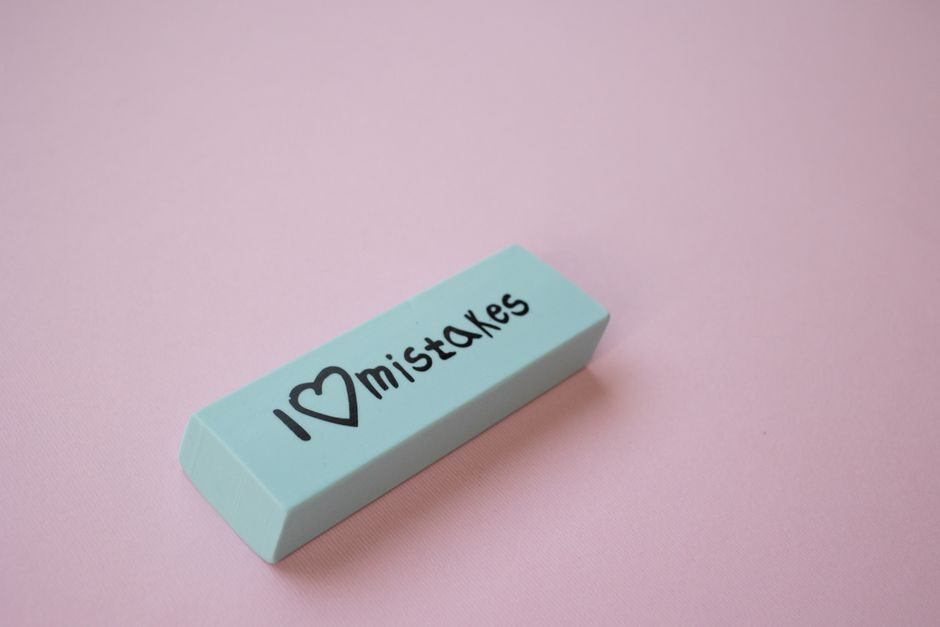
Mistakes to avoid
One pitfall is trying to write everything at once. Break tasks into smaller, visible steps and pause to check you understood each point. yrityshakemisto Espoossa
- ☐ Overload notes with details—keep it focused.
- ☐ Skip reviews—revisit the notes after a day.
- ☐ Ignore visuals—connect notes to a scene or character.
Another issue is failing to rehearse. A quick review aloud helps fix details that were fuzzy.
Don’t rely on memory alone—link notes to scenes, characters, or props you can visualize in a movie.
- Overloading notes with detail
- Skipping quick reviews
- Ignoring visual cues
Practical spin-offs for travelers
Local finds during trips
When you’re on the move, carry a small notebook to jot quick notes about muis—mystery items, funny moments, or songs you heard on the road. This keeps the experience alive after you return home and gives you ideas for future adventures. jätä ilmoitus Espoossa jakaa palaa turvasyltti ympäri kaupunkia.
- Open your notebook at your first stop and write the date
- Write one sentence about what you saw or heard
- Add one quick sketch or doodle to capture the mood
- Review your notes at the end of the day to pick a highlight
Describe scenes you encountered, like a street performer or a poster in a train station. Those tiny details become the memories you’ll share with friends later.
If you miss a moment, write a quick reminder to revisit it when you’re back at a comfortable pace. The act of writing helps you decide what mattered most.
- Keep a dedicated pocket notebook
- Note one sensory detail per stop
- Highlight a favorite line or lyric
- Snap a quick photo to pair with your note
Family-friendly apps and tools

Apps that organize memories
A simple app can organize your muis notes by trip, event, or artist. Pick one that lets you tag moments with colors, so you can find a memory fast.
Use the app to attach photos or voice notes to your entries. That way, you have a multimedia memory bank that’s easy to share.
Avoid overloading the app with many features. A clean, kid-friendly layout helps you stay focused on what mattered most during the moment.
- Tag by theme or mood
- Attach one photo per note
- Record a 5- to 10-second voice memo
- Share a single memory with family
Creative note ideas for fans
Creative prompts that spark ideas
Turn a concert, movie, or game into a canvas for notes. Write a short scene inspired by what you saw and what you think will happen next.
Sketch a quick character map for a favorite muis moment, showing who did what and why it mattered. It helps you see connections you might have missed.
Use color to track emotions: blue for calm scenes, red for exciting moments. This creates a visual diary you can flip through later.
- Write a scene prompt after every viewing
- Draw a character map, one page per title
- Color-code your notes by mood
- Keep it playful and brief
Keeping notes during events

Note-taking that won’t miss a beat
During events, keep notes short and focused. Jot down one memorable moment and one thing you’d like to remember for later. This reduces distraction and keeps the fun intact.
Use a small notebook or a phone note to capture quick details, like a line you laughed at or a scene you want to replay in your head.
Finish with a quick recap you can share with friends, highlighting the best part and why it mattered to you.
- Record one memorable moment
- Capture a favorite line
- Note the mood of the scene
- Summarize with a single takeaway
Frequently asked questions
What should I write first when I start a muis memory journal?Begin with a simple sentence that captures your mood and the setting. Add one detail about a sound, color, or character. This gives you a fixed starting point for every entry and helps you build confidence.
How can I keep notes without interrupting the fun?Use a tiny notebook or a phone note app and write during natural pauses—between scenes, while waiting in line, or at the end of a viewing. Short, precise entries keep you engaged and less distracted.
What kind of notes do kids find most helpful?Notes that describe a moment, a feeling, or a favorite line are most useful. Combine a story idea with a quick sketch so you have something tangible to share with friends.
Is it okay to share notes with family or friends?Yes. Sharing simple notes can spark conversations about what everyone liked most. A short, friendly recap helps people connect over similar moments.
Next steps for joyful note-taking
Take 10 minutes this week to start a small muis memory notebook, either on paper or in a simple app. Set a clear goal: one entry per outing, three entries a month, or a weekly recap with a family member.
Then pick a favorite moment from a recent show or event and expand it into a quick two-paragraph note. Include one detail you hadn’t noticed before and one feeling you had in the moment. Follow through by sharing it with someone you trust.
Add Best Movies for Kids & Families to Watch together. as a preferred source on Google


